macOS Menu Bar App
Know your team's time, always
See every teammate's local time at a glance. Stay aligned across time zones so you can coordinate effortlessly and respect everyone's working hours.
macOS 15+ · Apple Silicon & Intel

Live local times
See every teammate's current time, updated in real-time right from your menu bar.
Working hours
Visual 24-hour timeline shows who's working, off duty, or sleeping at a glance.
Team overview
Group teammates by project or team. Always know the best time to reach someone.
Overlap detection
Instantly see shared working hours so you can schedule meetings that work for everyone.
Connects with the tools you already use
Import your team from Slack or sync timezones from Google Calendar. Set up in seconds.

Slack
Import teammates & timezones
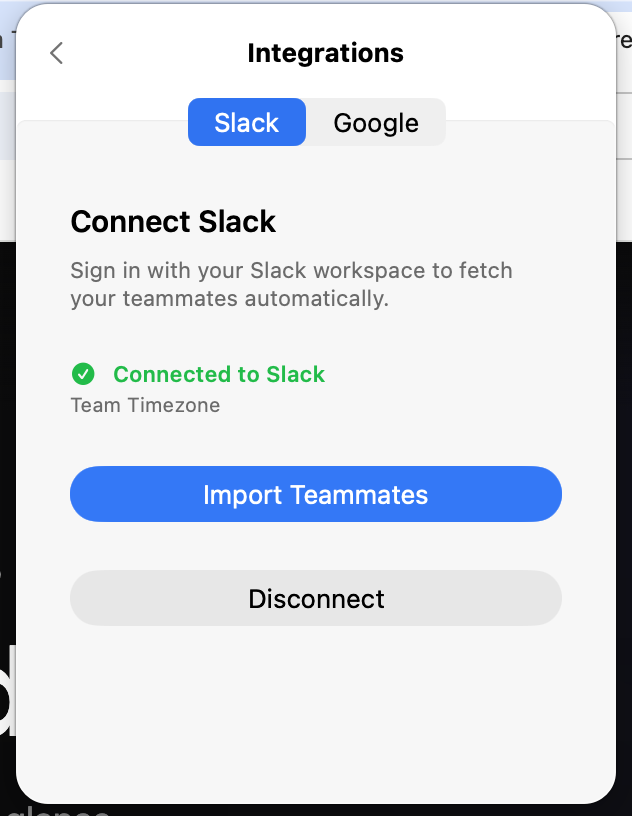
Connect your Slack workspace to automatically fetch your teammates and their timezones in three simple steps.
- 1
Add to your Slack workspace
Click the button below to install the Teammate Time app in your Slack workspace.

- 2
Authorize the app
Review the permissions and approve the installation. Teammate Time only reads basic user profile info and timezones.
- 3
Sign in & sync your teammates
Open the Teammate Time app, sign in with Slack, and import your teammates with one click.

Google Calendar
Sync timezones automatically
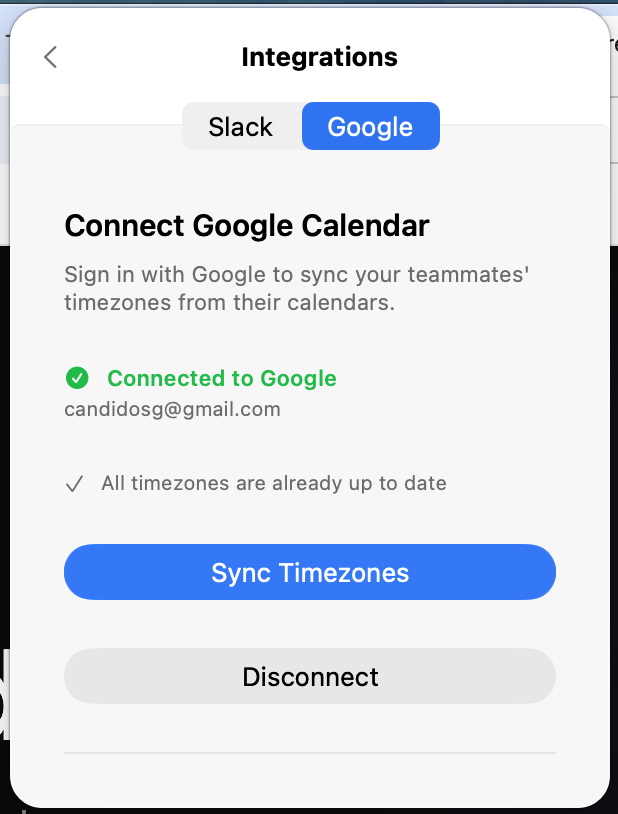
Connect Google Calendar to sync your teammates' timezones from their calendar settings. Just need their email to keep everything up to date.
One price. No subscriptions.
Pay once and own it forever. All updates included.
One-time purchase
- One-time purchase, no subscriptions
- All future updates included
- Slack & Google Calendar integrations
- Lightweight & native macOS app